
What is a to-do list?
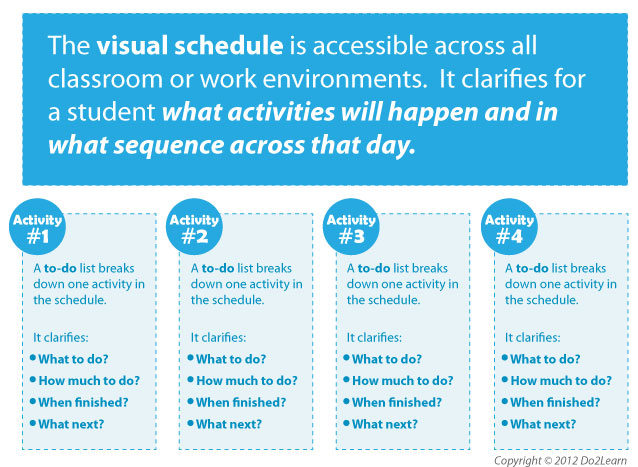
The to-do list (also referred to as a “work system” or “activity system”) visually clarifies a series of activities that an individual is to do. These activities might be academic, vocational, daily living, or even leisure and recreational in nature.
 The to-do list provides the answers to the following four questions:
- “What do I have to do?”
- “How much will I do?”
- “When am I finished?”
- “What do I do next?”
By answering these questions, the to-do list gives the student or employee a systematic way to organize his behavior around expected work performance in a series of tasks or activities. This same to-do list can and should be applied in many different environments with many different tasks. Since the student has learned the routine of following the to-do list in different environments, he always has a way to approach tasks when the to-do list is in place. Thus, the to-do list uses a consistent format that makes sense of activities and builds independence.
The to-do list also visually shows the student that he is making progress, where he is in the work period, when he will be done, and what will happen next. Having this information is vital to an individual and helps keep him focused, on task, and independent. It also takes away the element of the “unknown” as his expectations are clearly laid out for him.
The to-do list is not just for academic or vocational tasks though; to-do lists are also used during break times, periods of leisure, or a sequence of self-care activities.
As with all visual supports, systematic, direct instruction of the use of the to-do list is necessary. The instructor may prompt the student to use the list and fade those prompts to assure the student experiences success in its use. Priming to get agreement that the list can help the individual may be required.
What’s the difference between a schedule and a to-do list?
Prompts are the temporary support that you provide to the student, whereas schedules and to do lists are long-term visual strategies that many people use to sustain independence at work, school, and home.
This schedule below tells the student where he is going to go throughout his afternoon at school. He will go to lunch, then to Earth Science class, then to Physical Education, and then he will go home on the bus. Each to-do list tells the student what he will do once he arrives to particular classes, such as Earth Science and Physical Education (P.E.). His to-do lists will be located in each classroom area (Earth Science classroom, Gym, etc.).
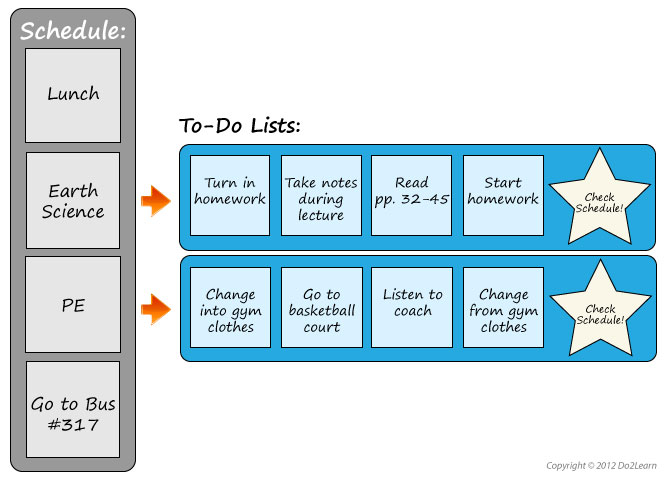
His to-do lists answer the four questions:
- "What am I doing?"
- "How much am I doing?"
- "When am I finished?"
- "What’s next?"
It is very important to individualize the to-do list based on your student. There are several different types of to-do lists that can be used depending on the student’s thinking style and level of functioning.
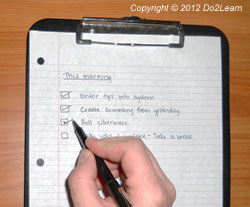 Type 1: The Written To-Do List:
The written to-do list provides a list of what tasks the student is to complete once they are in the location indicated next on their schedule. A written to-do list can be presented as a simple written list, a combination of written information and pictures, and it can be organized in conjunction with folders and bins.
Type 2: The Matching To-Do List:
The matching to-do list uses picture, symbol, color, or word cues to clarify the answers to the 4 questions and organize the student who cannot readily decipher written cues. The matching to-do list can be very effective, as it takes advantage of the visual skills of individuals by emphasizing ‘matching’ within the to-do list.
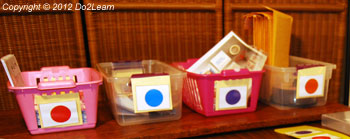 In the work space, the student sees a left to right or top to bottom strip on which there are a set of symbols. The individual takes the top card off the strip and matches it to a container on the shelf to his left.
Then he takes down the container and completes the task in his work area. He finishes the task and puts it on a shelf (a designated ‘finished area’) to his right.
He then takes the next card from the top of the strip (his to-do list) and matches it to a task on the shelf to his left. He pulls it down and completes it.
Through this process, he can see the progression of the work. He can see that at the bottom of the to-do list is a card representing a favorite activity (computer time, break activity, etc.) or a ‘check schedule’ card (if he does not need specific and immediate reinforcement for working on this to-do list. When he finishes the tasks on the to-do list, he takes the last card and uses it to transition to ‘what comes next?’
Type 3: The Object-Based To-Do List (also referred to as the “left to right work system”):
Many to-do lists are left to right systems. The left to right system uses objects (bins, folders, trays, the materials of a task) to clarify the answers to the 4 questions:
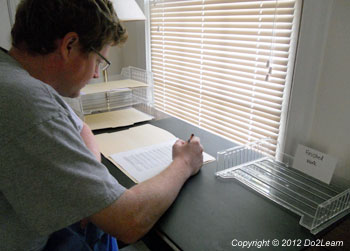 What work? The tasks within the bins indicate what the student is to do.
- How much work? The number of bins or tasks indicates how much the student is to do.
- When am I finished? As the student completes the tasks, the bins /folders disappear showing a progression towards finished.
- What’s next? A visual cue indicates what to do when they are finished.
The tasks are placed on the left-hand side of the student, often in bins, folders, or on trays. As the student completes each task, he moves it to his right into a designated finished box, shelf, or area.