
The instructor completes a thorough assessment of the individual’s needs and strengths and selects targets for intervention. The instructor devises the design of the environment, the schedule that will support the individual’s movement from place to place in an appropriate order, and the to-do list that will visually support the individual in comprehending the sequence of activities within that setting.
The next step involves structuring the content of the tasks and activities that will be completed within a setting. It involves the process of designing the learning materials that will support the targeted skill. Visual cues are an integral part of this design process.
Visual cues answer such questions as:
- "How do I complete this specific task?"
- "What do I attend to in order to do this right?"
How will the instructor present the sequence of steps or instructions necessary to perform the task independently (visual instructions)? How will the instructor organize, stabilize and contain the materials of the task (visual organization) to support performance? How will the instructor “turn up the visual volume” by highlighting or emphasizing key elements of a task (visual clarity) to sustain focus?
Tasks, activities and learning materials, in this sense, must be defined broadly. A task or activity can be a specific social routine of introduction or a self-relaxation routine or a multi-step food preparation activity. A task or activity can be asking for help in English class or ordering lunch at a restaurant.
How will the instructor design the learning materials to support performance of the task? How the instructor 1) illustrates the sequence of steps, 2) organizes the materials and 3) highlights or emphasizes key concepts or details within a task is the process of adding visual cues to support performance.
It is important to note that an instructor may need to teach the individual to use the visual cues when accessing the learning materials and performing the task. Within this process, it is critical that the instructor fade out any prompts to these visual cues so the individual uses the materials and performs the activity on his own. The visual structure of tasks and learning materials can help organize the steps and clarify the key details. Visually clear and well-organized tasks and materials can provide an individual with information on what sequence to follow while working on a task and how to complete the task independently. Students and employees who use visual cues are more flexible because the visual cues can always be changed when the task demands need to be altered. There are three main components to the implementation of visual cues: Visual Instructions, Visual Organization, and Visual Clarity.
Visual Instructions
 |
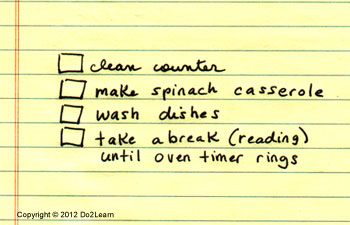 |
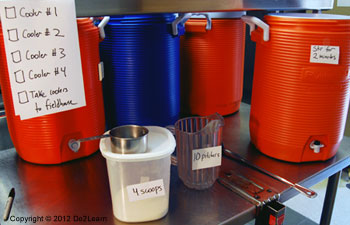
| In this example, the to-do list indicates that the student should fill a total of four coolers. The additional visual cues (instructions) indicate that each cooler should contain four scoops of the mixture and 10 pitchers of water. The mixture should be stirred for two minutes. | In this case, a set of visual instructions for the spinach casserole is in the recipe box by the oven. The individual by routine has learned to pull the set of visual instructions from the recipe box to guide him through all the steps of food preparation and cooking. |
Another use of visual instructions involves the clear presentation of visual rules within a task or environment to support the individual in remembering and using a rule. For instance, a student working on a dissection assignment in his Biology class does not always remember to wash his hands after working with lab materials. At eye level in his lab station is a visual rule card that states: “After you complete the lab activity, please go wash your hands in the classroom sink.”
Here is another example of how a certain classroom rule might be presented to a student:
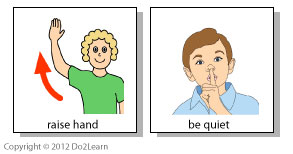
Why are visual instructions important?
Many individuals have difficulty processing auditory (spoken) information, particularly if that information is multi-step. Instead, many individuals are excellent visual learners. Therefore, visual instructions are typically much more meaningful than spoken instructions. For some individuals, visual instructions should replace verbal instructions. For other individuals, visual instructions should supplement verbal instructions. Consider the importance of visual instructions in academic, vocational, home, and leisure contexts. Keep in mind that most of us need visual instructions to perform certain tasks!
There are several kinds of visual instructions that are especially helpful for people :
- Written instructions: For individuals who can read and comprehend written materials, written instructions are an easy way to visually depict how to complete a given task. Written instructions are applicable to many tasks.
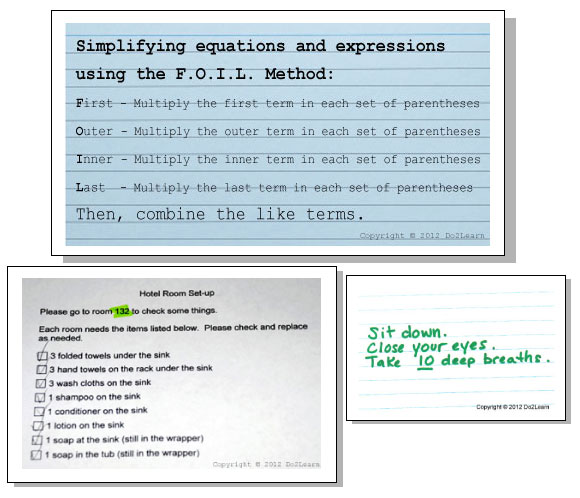
- Instructions that combine words and pictures: It is often important to use pictures or photos to supplement the written material, in an effort to make the instructions more concrete and meaningful so that the individual can complete the task independently. There are some cases where most of us need instructions that combine words and pictures. For example, if you need to assemble a desk from a box set, isn’t it helpful to see images of the desk sections along with the written instructions?
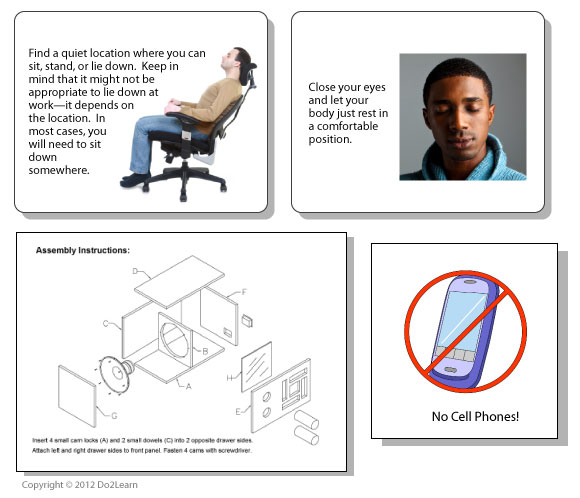
- Picture instructions: Picture or photo instructions are used with individuals who may not independently deciper written schedules, but do understand picture or photo sequences. A picture sequence can be used to depict each step of a task. Examples could include picture sequences for assembling parts for a piece of manufacturing equipment, planting seeds in a greenhouse, stacking dishes on a tray, or making a sandwich.

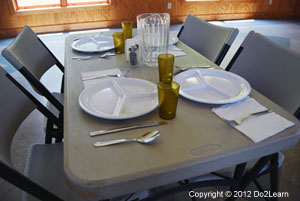
In some cases, a product sample, or finished product example, can be given to the individual to help him know what the final product should look like. This sample might be a photo of the finished product, or an actual 3-D version of the finished product. This student needs to see an example of a set table in order to then complete the table-setting tasks independently and accurately:
Visual Organization
Why are visual organization cues important?
Individuals tend to have trouble organizing themselves and may become overwhelmed by multiple materials or steps involved in a task. Thus, visually organizing the individual’s area is important to increase understanding and reduce frustration. Consider the importance of visual organization cues in academic, vocational, social, home, and leisure contexts. Keep in mind that we all need container systems and stabilization methods in our home and work environments!
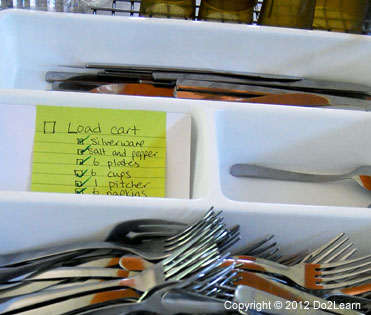 Individuals often benefit from having their work materials organized into containers. For instance, all the materials and instructions for sorting cafeteria supplies might be placed into a cart with trays.
All of the documents to file in the office might be contained in one folder. For readers, clearly organized files and folders can add visual organization, as can an “IN box” and an “OUT box.”
Adjust containers and materials that are part of the space to stabilize and prevent spilling or to improve task performance. For instance, you could provide larger containers into which the individual will sort recyclables so that the individual is more productive on the job and does not have to pick up spilled items so frequently.
Visual Clarity
There are multiple ways to provide visual clarity:
- Visual labeling:
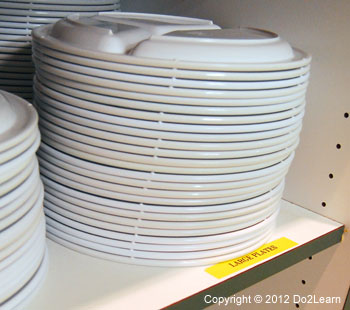
Labeling shelves, folders, drawers, and other areas can be a powerful visual cue to build independent and efficient performance. Labels can be words or picture-word combinations. Don’t most of us use labels in some areas of our homes, offices, and / or classrooms? Thus, in many cases, labels certainly support the individual , but they also benefit everyone in that environment.
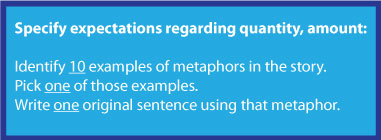
- Specifying quantity or time:
As mentioned previously, judging “How much?” or “How long?” is a struggle for many individuals . Providing start and end times (1:15pm-3:00pm), specific amounts or time limits (“30 minutes”) can help the individual complete the task thoroughly yet efficiently.
- Highlighting and bolding:
 Using a brightly colored pen or highlighter to draw the individual’s attention to details or reminders is an easy and effective strategy. Again, don’t most of us encounter and implement highlighting and bolding strategies in our offices and / or classrooms? Thus in many cases, highlighting can certainly support the individual , but it also benefits everyone in that environment.
 Here are some examples of how highlighting and bolding cues might be added to a visual support, to “turn up the visual volume” on that core feature:
- Highlighting or bolding posted rules, instructions within a classroom
- Highlighting the targeted “level” on an emotional intensity scale (i.e. a graphic organizer)
- Highlighting or bolding key terms within a study guide (i.e. a graphic organizer)
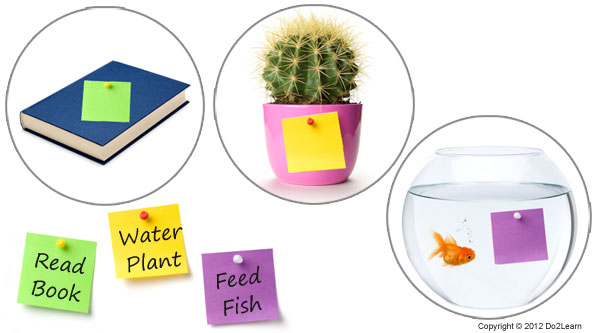
- Color coding:
Color coding can be an effective strategy to help the individual “get it right” and reduce the need for judgment. Here are some examples of how color coding cues might be added to a visual support, to “turn up the visual volume” on that core feature:
- Color coding role-play scripts so that one student’s lines are blue, the other student’s lines are in black print.
- Color coding words on a written to-do list to match color-coded areas within the classroom
- Color coding an often overlooked step within visual instructions
- Circling and underlining:
Here are some examples of how underlining and bolding cues might be added to a visual support, to “turn up the visual volume” on that core feature:
- Underlining or circling key words within a social narrative (e.g. words that indicate another person’s perspective)
- Underlining or circling an often overlooked step within a multi-step task
- Circling or underlining the “big idea” concepts within a graphic organizer
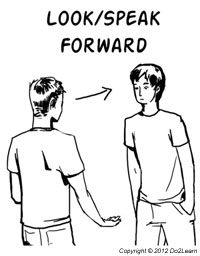 Icon and symbol insertion:
Here are some examples of how icon or symbol cues might be added to a visual support, to “turn up the visual volume” on that core feature:
- Inserting icons into visual communication script cards
- Using editing software to add a green checkmark icon to the end of a video model
- Placing a star next to an item on a set of visual instructions
- Adding images to a social story
- Adding a picture next to each step within a set of written instructions
- Making the task more obvious when teaching:
Sometimes when teaching a new task, it is helpful to make the task or concept more obvious. For instance, in everyday life, individuals may clean a table that is not obviously dirty. However, when teaching this task for the first few times, the instructor might make the table (or other surface) very dirty, so that the individual can learn to wipe the whole table down until it is obviously clean.
This same strategy can be used with cleaning other surfaces, sweeping or vacuuming floors, dusting, washing dishes, weeding in a garden, and picking up trash. Aside from cleaning, this concept applies to sorting (such as mail or shipment orders), stocking shelves, organizing paperwork, operating equipment, and many other situations.