
What type of to-do list is most appropriate for the student: A written to-do list, a to-do list that combines words and pictures, a picture-matching to-do list, or an object-based system?
For many childcare positions, the schedule and to-do list may be combined so that both the location and the specific tasks are addressed in the same visual support.
Remember that the schedule defines where to go and the to-do list defines the tasks to do.
The childcare position may have a very consistent schedule if cleaning and materials preparation are the primary job responsibilities. Combining the schedule and to-do list depends on the student’s needs. Does the student need one place to go for information on where to be and what to do?
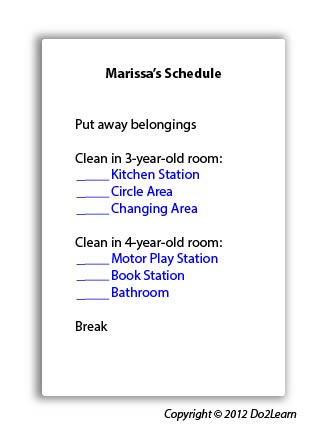
For instance, the to-do list within the schedule is noted in blue. Note that the student still may need to use a set of visual instructions for the steps of tasks. Cleaning all stations and play areas may be addressed with one set of visual instructions for ALL stations. The Changing Area may have a specific set of visual instructions for proper cleaning and the Bathrooms may have another specific set.
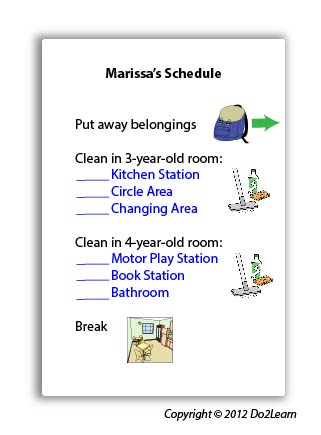
Based on the student’s communication skills, how should the to-do list be formatted? Remember that the schedule and to-do systems should be coherent for the student during the student’s most stressful moments. Even a student with good reading comprehension may require an image or object-based system if it serves as a less-distracting support. For example, the above system can be designed to include icons or photos, perhaps only for certain pieces:
Does the student’s to-do list answer these four questions: “What do I have to do?”
“How much do I have to do?” “When am I finished?” “What next?”
It is very important that the to-do list clearly addresses these four concepts. The to-do system above answers these as follows:
How will the student interact with his to-do list to ensure that he is consistently using and referencing it? Will he check items off, delete items, place completed items in a folder, place items in a “finished” bin to represent completion of a task, etc.?
What additional cues (e.g. time durations, highlighting, instructions, reminders) might you add to the to-do list to clarify expectations and promote attention to key elements?
In order to align this intervention topic area with the unique needs of the student, do you need to create a to-do list in the View2do program?