
What is the difference between visual instructions and a to-do list?
At times, visual instructions and to-do lists are very similar. A to-do list tells the student what tasks they should be doing and in what order. In other words, it is a list of instructions of what tasks to do. Some visual instructions, on the other hand, clarify the steps of a task. There are spontaneous commands from a supervisor or customer on the go. Thus, the student should be taught to follow all types of instructions.
What type of to-do list or visual instructions is most appropriate for the student: A written to-do list, a to-do list that combines words and pictures, a picture-matching to-do list, or an object-based system?
Remember that the system should cater to the student’s toughest day. If the student is stressed, the to-do list should be easy for them to process. Many individuals tire over extended periods and are less able to follow verbal instructions. To-do lists and visual instructions can actually eliminate stress sometimes by providing expectations or information in a concrete, clear, visual way, as opposed to auditory information that can be overwhelming.
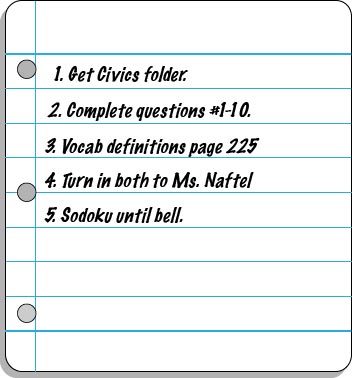
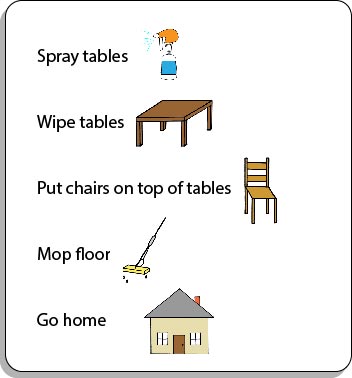
For the student who is capable of recording verbally delivered instructions so that he can then refer back to those as needed, you might consider developing a basic to-do list shell (one that aligns with that particular classroom or workplace setting). As the student is provided with verbal instructions, he can fill in his own to-do list:
How will the student interact with his to-do list or instruction list to ensure that he is consistently using and referencing it? Will he check items off, delete items, place completed items in a folder, place items in a “finished” bin to represent completion of a task, etc.?
What additional cues (e.g. time durations, highlighting, instructions, reminders) might you add to the to-do list or instruction list to clarify expectations and promote attention to key elements?
In order to align this intervention topic area with the unique needs of the student, do you need to create a to-do list in the View2do program?
