
What visual instructions or reminder cues should be accessible to support performance of this self-regulation skill?
The schedule or to-do list is a logical place to add in a visual reminder. For example, you could write “Sometimes your schedule may change and that is OK” on the top or bottom of the schedule (an agenda, a calendar, etc.) or to-do list.
Similarly, you could write the same visual reminder on a sticky note and post it somewhere where the student will see it, such as on their computer, bulletin board, inside their top desk drawer, or on the inside of their agenda notebook.
Visual instructions will be important in helping the student both understand and cope with changes. As mentioned previously in Priming, when a student is faced with ‘changes of procedure’ in completing a task, you may need to provide written instructions or adjust a set of written instructions. For instance, after helping the student orient to and label the impending change, adjust a set of established instructions and make them fit the immediate task:
Coping or calming procedures may require visual instructions. The student may need instructions on what to do when they are upset or frustrated due to a change. Be sure to personalize the cool down plan to meet the needs of the student. Include his or her name in this plan to increase “ownership.”
In my design of each visual support, have I considered whether the student may need visual clarity cues (added to the environmental design, communication script or scenario, schedule, to-do list, graphic organizer, social narrative, and / or video model) to highlight (label) or emphasize key features or concepts?
Here is the example from above, but with pictures for additional visual clarity.
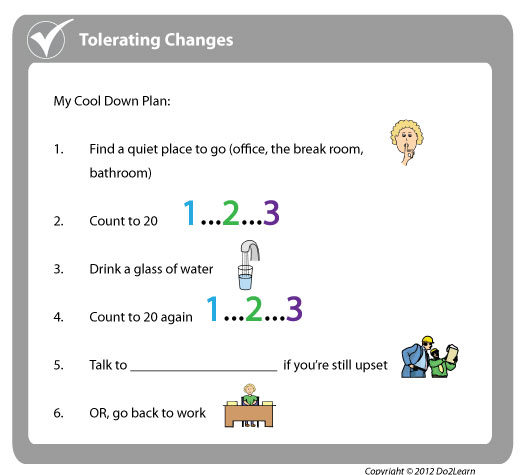
Review such topics as Self Identify Anxiety for more coping strategies depicted in visual instructions and visual reminder cue form.
In order to align this intervention topic area with the unique needs of the student, do you need to create visual instructions and reminder cues in the View2do program?
