
 |
Getting a Job
Application Forms
Application Formats - Finding Online Applications
-
 |
- Find the company’s official website.
- Find the Jobs / Careers / Employment section on the website.
- Look for key words like, "Employment opportunities," "Join our team," "Job openings," etc.
- You might be required to indicate what kind of job you are looking for and the location before you can even reach the application.
- You might even need to choose specific store locations in your home city that you are able to work in.
- When you reach the application, you might be able to print it out. However, many big companies require that you complete the entire application online and submit it electronically.
- You have to complete the application according to the company’s rules.

|
Go to the website:
Many companies no longer give out paper copies of their application form. You may have to complete the application online, or print the application out from their website. If you would like to work for a specific company but you do not know their web address, the best way to find the company’s website is to use a search engine (i.e. Google, Yahoo).
Once the search engine provides you with a list of links, find the company’s official website.
Examples of official websites are:
- McDonalds.com
- Walmart.com
- USPS.com
- Target.com
- Find the "Jobs" section on the website:
Each company’s website is different, so we at JobTIPS can only provide general guidelines about how to find the online application.
Once you are on the company’s homepage, you will have to look carefully to find the jobs link. On some home pages, the jobs section is very easy to find, while on other home pages, you will have to look very carefully to find it. It might be located on the sidebar, at the very bottom of the page, or at the top of page. You might have to go to the search bar, type “employment” and hit enter. This will usually prompt you into their job site.
Currently many company web sites list their job links “employment”, “careers”, etc. at the very bottom section of their opening web site. If you don’t see a jobs link try typing “employment” into their search bar and hit enter. Check out these pages from different companies to see where the job sections are located:
You have to click on “more”, then select the “careers” option.
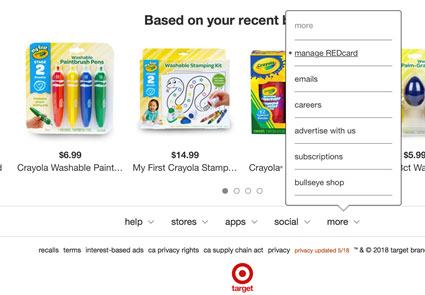


Scroll down to the bottom of the page
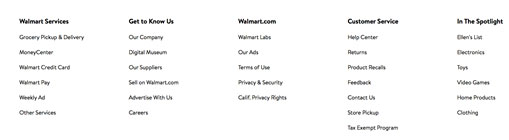
The column “Get to know us” above lists “careers” as the last option – select careers

Scroll down to the bottom of the page

Select “Careers”
Scroll down to the bottom of the page and select “Careers”

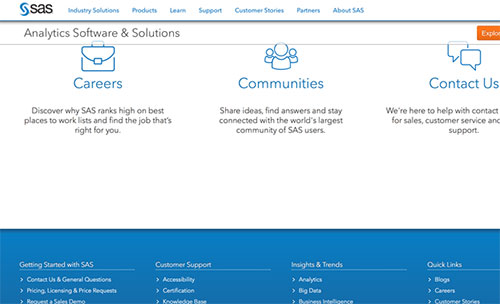
Scroll down to the bottom of the page and select “Careers” or go to “Quick links” and select “Careers”
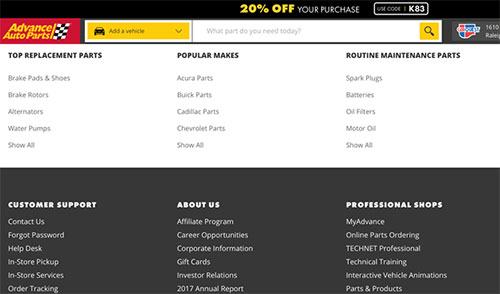
Scroll down to the bottom of the page, go to “About Us” and select “Careers Opportunities”
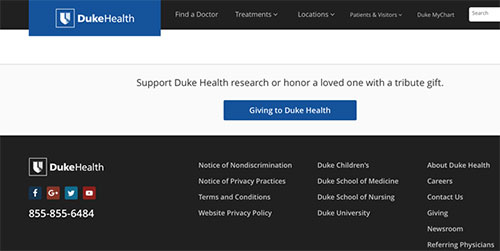
Scroll down to the bottom of the page, go to “About Duke Health” and select “Careers” below it.
When you are trying to find the job section on a company’s website, here are some key phrases to look for:
"Careers"
"Employment opportunities"
"Potential employees"
"Job opportunities"
"Join our team"
"Working for us"
"Team member opportunities"
"Career opportunities" |
"Rewarding opportunities"
"Corporate Info"
"Retail Careers"
"Company Information"
"Our company"
"Open positions"
"Job openings" |
- Get to the application:
 |
| Use Google Maps or Mapquest.com to determine how many miles a certain store location is from your house. If a store is more than 30 miles away, it might be difficult for you to get to that job location. Think about your transportation needs (how will you get there?) and expenses (gasoline $$, bus or subway fare $).
|
Once you go to the company’s job link, there may be a few more steps you have to take before you can actually start applying. These steps can be confusing, but try not to get frustrated. Just remember that everyone has to be patient and work hard to find the right job. Ask for help from a parent, teacher, coach, or mentor if you need it.
Here are some steps you might have to take:
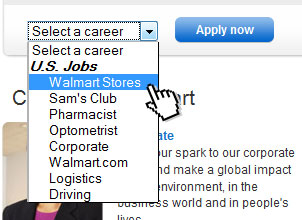
- You might be required to indicate what kind of job you are looking for before you can even reach the application.
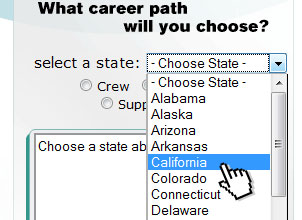
- You also might have to indicate what city and state you are looking in.
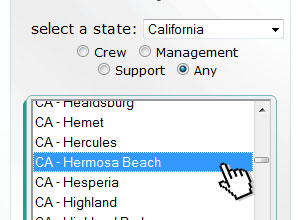
- You might even need to choose specific store locations in your home city that you are able to work in. You should make these choices based on where you live and your transportation needs.
- When you reach the application, you might be able to print it out. However, many big companies require that you complete the entire application online and submit it electronically. You have to complete the application according to the company’s rules.
For more help finding online applications, go to Finding a Job on the Internet.
 |
GETTING A JOB
Application Forms
Application Formats -Completing Handwritten Applications |
|
GETTING A JOB
Application Forms
Application Formats - Completing Online Applications |
 |
|
|

