Time-Management and Organization - To Do Lists
 |
A "to do" list should answer the following questions:
- What tasks am I supposed to be doing?
- How many tasks do I have to do?
- When am I finished with my tasks?
- What will I do next after I am finished with that task?
As you finish each task, check it off or cross it out.

|
Use a "to do" list or checklist as a way of organizing your work tasks. To do lists and checklists help you approach your tasks in a way that will keep you focused and as independent as possible. While your schedule tells you where to go, what time to go there, and what in general you will be doing, a "to do" list or checklist breaks down the steps of the task.
A "to do" list should answer the following questions:
- What tasks am I supposed to be doing?
- How many tasks do I have to do?
- When am I finished with my tasks?
- What will I do next after I am finished with that task?
You can tailor your to do lists so that it makes sense to you. A few types of systems are listed below. Have someone, such as a job coach, counselor, parent, or supervisor, help you figure out what system makes the most sense to you. Then, have them help you set it up and organize it.
Here are 2 different types of systems:
Your general schedule may look like this:
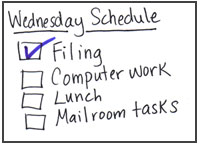
You can then place a check mark in each box or cross off each task or step as it is completed. That way, you can see the progress you are making and what is left to do.
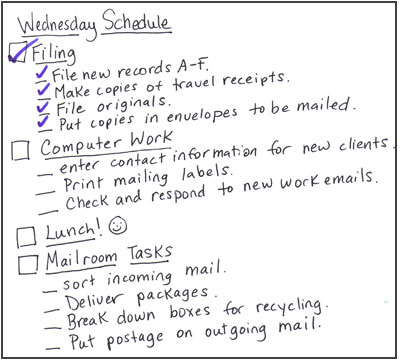
Some people may need more specific details about each task. Here's an example of a "to do" list that breaks down the larger tasks (e.g. filing) into individual steps:
 |
Use these printable sheets to make your own "to do" lists:
|
|
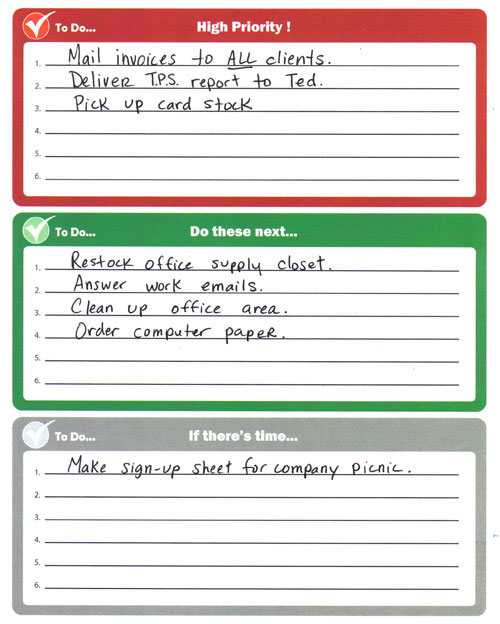
You can also organize your daily checklist or "to do" list by the order of importance. This means that you list tasks from highest priority (must be done first) down to lower priority (can be done a little later).
Use this worksheet to help you prioritize tasks:
 |