Time-Management and Organization - Daily Schedules
Daily schedules help you organize and remember what tasks you are going to do in a day. Use a daily schedule in addition to your monthly or weekly calendar. A daily schedule provides more detail than a monthly or weekly schedule. Depending on the demands of your job and what format makes the most sense to you, there are different types of daily schedules.
Where should you keep your daily schedule?
- On your desk
- Near your computer
- On your refrigerator
- Posted next to your front door
- In your backpack, work bag, or purse
- In a place where you will see it every day
Here are some ideas for different daily schedules (you might use a combination of these strategies):
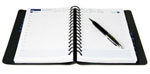 It is good to include the following information in your planner or agenda: It is good to include the following information in your planner or agenda:
- What tasks you are going to do.
- What time you are going to do those tasks.
- Where those tasks will take place.
- With whom you will do these things (if you are working with others).
|
 Some people prefer to use technology to keep track of their daily activities. There are many different types of electronic schedulers including: Some people prefer to use technology to keep track of their daily activities. There are many different types of electronic schedulers including:
- A Personal Digital Assistant (PDA) such as a Palm Pilot or Blackberry.
- Computer scheduling systems, such as Outlook or Google calendar.
- Some cellular telephones, such as the Palm or iPhone, have easily accessible scheduling systems.
|
- Hand-write or type your written schedule each day.
- Keep your daily schedule where you can easily reference it, such as on your desk or in your work space. You could also keep it on a clipboard or on the inside of a notebook or folder you use often.
- Cross off the items on your schedule when you are finished with them to keep track of what you have done. Or, place a check mark next to each item after it is completed. This also allows you to see how much progress you have made and what is left to do.
Here are two examples of a simple written daily schedule:
- This schedule is for a veterinarian assistant. Her tasks need to be completed within a time frame. Thus, times are included on her daily schedule.
 October 4th October 4th
9:00 am - Staff Meeting in kennel area
10:00 am - Assist in office area
11:00 am - Walk dogs
12:00 pm – Lunch with Markel
1:00 pm - Clean kennels
2:00 pm - Walk dogs
3:00 pm - Go home
- This custodian does not need to complete his tasks within a specified time frame. However, the location where he works changes for each activity. Thus, times are not included on their schedule, but locations are included.
Tuesday
Sweep floors - Throughout building
Mop floors - Throughout building
Clean tables – Conference Room 122
Dust furniture – Lobby
Vacuum carpet – Conference Room 172
Clean glass doors – Lobby and Front entrance
|

Picture schedules show what tasks you are to do using pictures, photographs, or even drawings. Some people find pictures more meaningful than words and can more quickly and easily reference a picture schedule than a written schedule. Picture schedules typically consist of a horizontal or vertical row of pictures. Each picture represents a different task, and they can be sequenced in the order you are do to the tasks.
How can I make a picture schedule?
- Cut and paste images from Google.com.
- Use printed photos of your tasks.
- Use drawings or quick sketches of your tasks.
- Purchase photos from istockphoto.com.
|
 |
It is important for you to use a daily schedule. Keep your daily schedule in a place where you can see and use it many times each day. Decide what type of daily schedule will work best for you:
- Use a day planner /agenda book.
- Use an electronic, hand-held planner.
- Use a written schedule.
- Use a picture schedule.
- Use a combination of these!

|